Introducing Device Snooze
 Philippe Asselbergh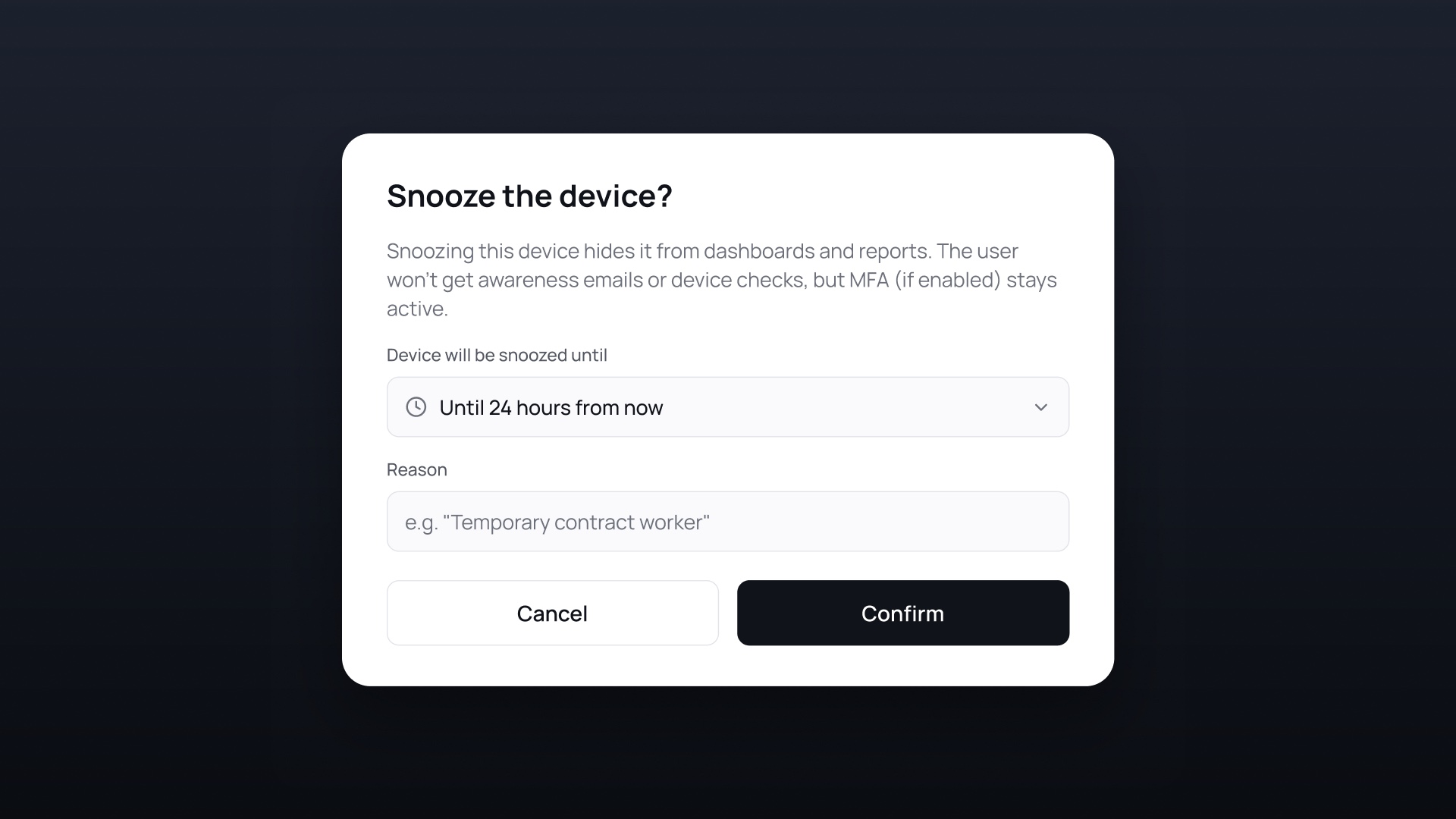
Device Snooze lets admins pause XFA's policy on a single device for a set time, with a reason and an expiry. It is live in the XFA Dashboard.
XFA's goal is total coverage: verify every device that is actually used for work, with no exceptions. That completeness is what makes a fleet trustworthy, but it also runs into the real exceptions. A laptop waiting on a repair. A device being swapped out. A contractor in their last week. Until now you had two options: loosen the policy for everyone, or let a known exception keep firing alerts. Snooze is the clean third option.
What's new
On the XFA Dashboard, admins can now snooze a single device straight from its action menu, in both the Devices overview and the device detail page:
- Pick a duration. A preset, or a custom date and time for when the snooze ends.
- Add a reason (optional). So your team remembers why the device was excepted.
- Change it later. Update or remove the snooze anytime from the same menu.
While snooze is active, device checks and Awareness notifications pause for that device. MFA stays active, so sign-ins keep their protection.
A snooze never hides a device from you. Snoozed devices drop out of your day-to-day overviews to keep them clean, and one Show snoozed devices filter brings them all back. Every snooze has an expiry, so exceptions never quietly become permanent. The device returns to full policy on its own.
Snooze a device now from the Devices page in your XFA Dashboard.