XFA Now Works Inside Microsoft Teams
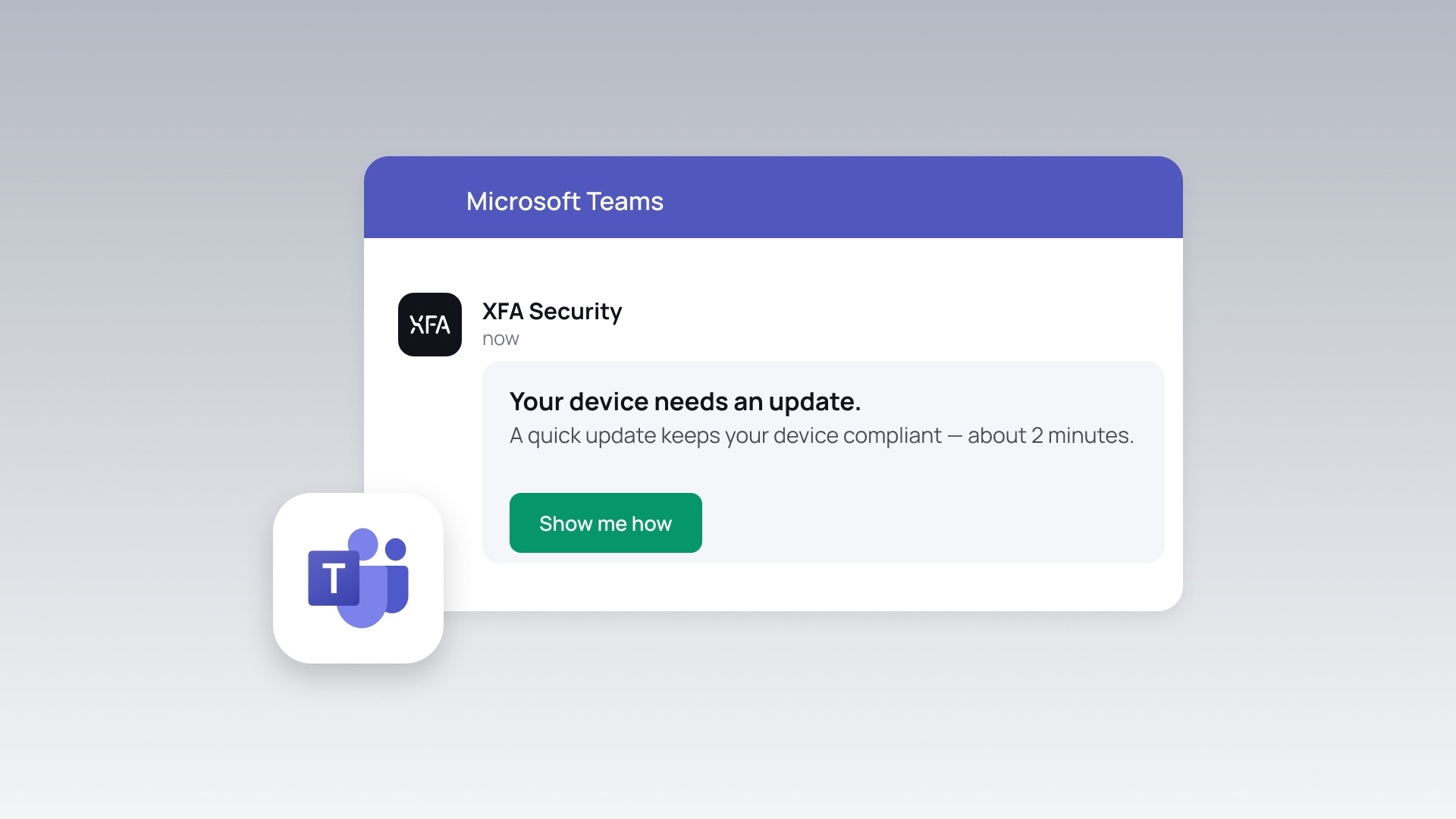
XFA can now also send its security nudges into Microsoft Teams. It already reaches people by email and in Slack; now Teams joins them. Connect your Microsoft tenant once, and users get device alerts and enrollment invites as direct messages, right where they already work.
When a device drifts out of policy, XFA can block it at sign-in, but a block on its own helps no one. What you want is the fix, done fast, before anyone is locked out. So XFA nudges the person instead: here is what changed, here is how to fix it, in about two minutes. A nudge beats a block, and it only works if the nudge reaches them.
What's new
Once your Microsoft tenant is connected, XFA sends two kinds of messages straight into Teams:
- Device risk alerts. When a device falls out of policy, the user sees what changed and how to fix it.
- New-device enrollment invites. Onboarding a device becomes a message with a link, not a support request.
People fix it right there in the chat they already have open. No block, no ticket, no downtime.
Admins control it from the Integrations page in the XFA Dashboard: turn each notification type on or off, send a test message to see what users receive, and rely on built-in localization in English, Dutch, French, German, and Spanish.
Turn on Microsoft Teams from the Integrations page in your XFA Dashboard, or follow the setup guide.