
Scale your security
Secure every device effortlessly while ensuring compliance and growth.
Cover every gap
Gain visibility into devices and close security gaps before they become threats.
Protect Freelance & BYOD devices
Enable secure access for personal and external devices without adding complexity.
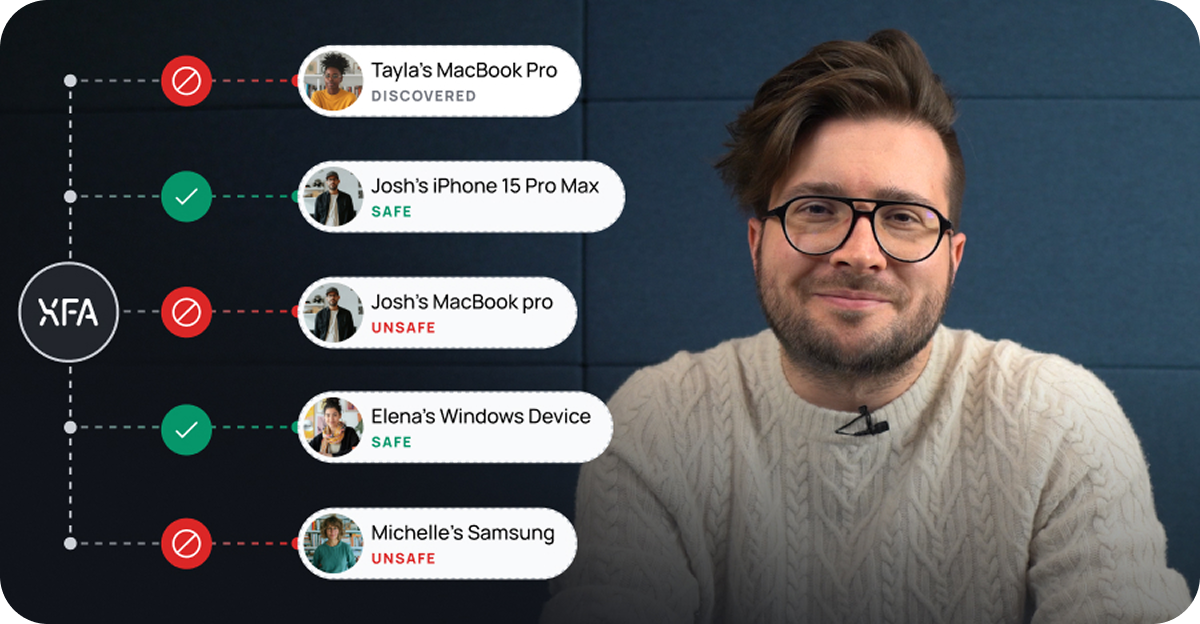
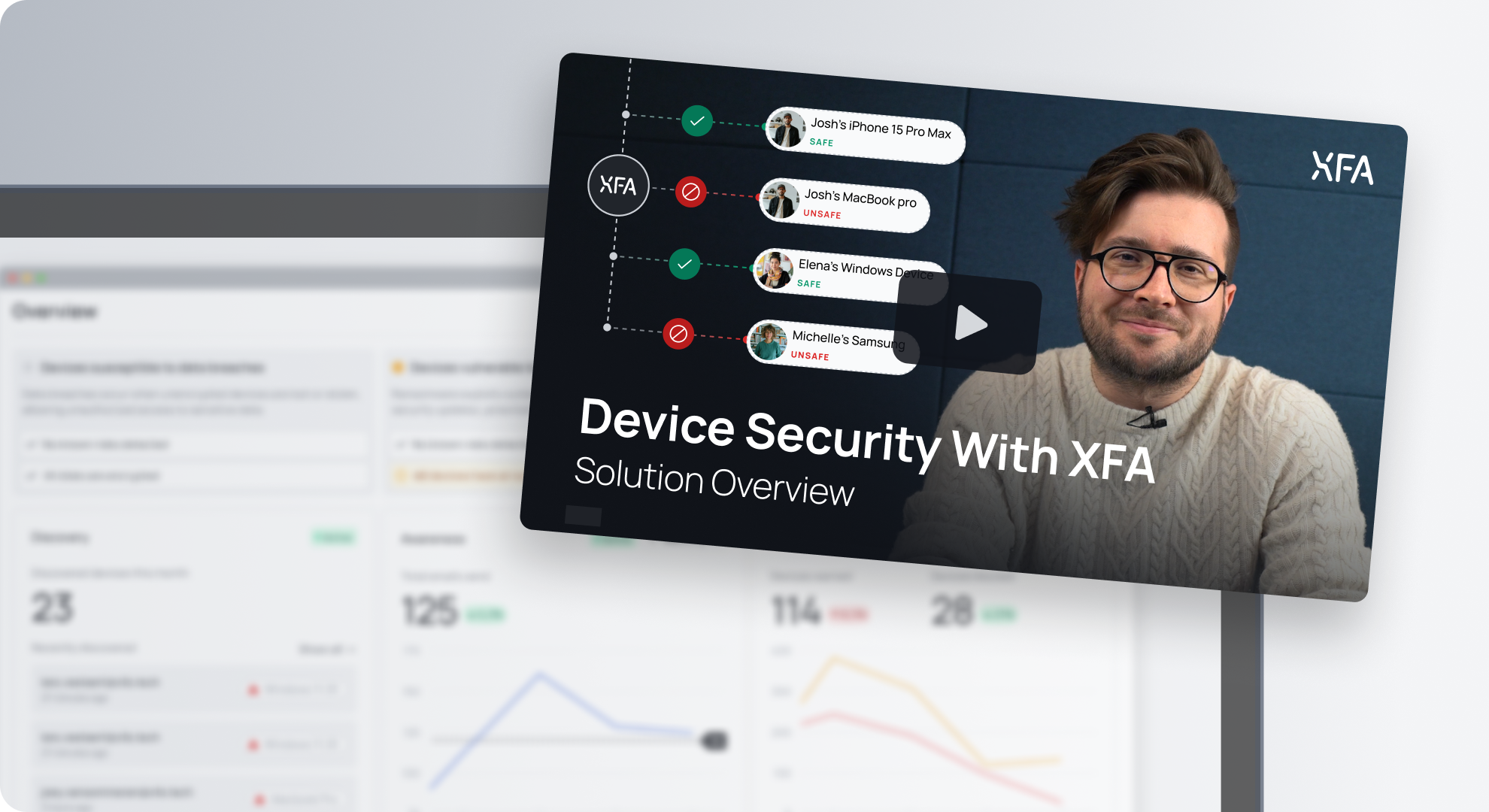
Device Security with XFA
Learn how XFA solves your device security issues.
Discovery
Gain visibility into all devices accessing your business platforms.
Awareness
Keep your team informed with real-time security alerts and insights.
Enforce
Ensure only compliant devices access your business data securely.
Silent MFA
Phishing-resistant MFA built into device trust.
Device Checks
See which security checks XFA can run on every device.
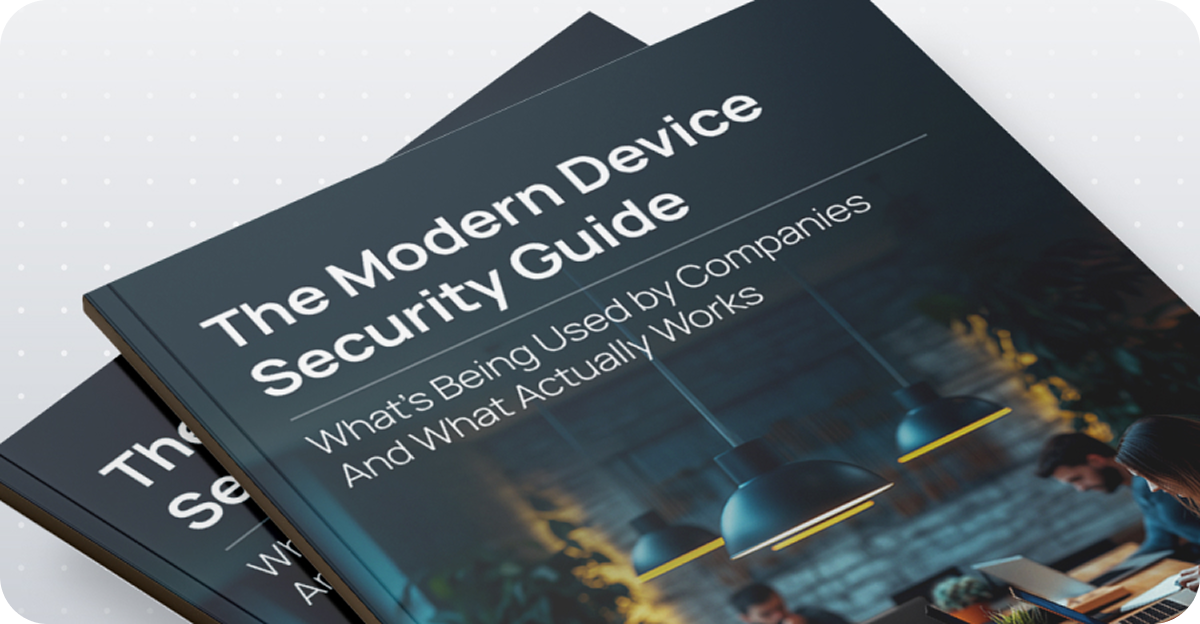
Download The Modern Device Security Guide
Curious what really works in device security?
Audit-ready device security.
Zero privacy intrusion.
Ensure your device security meets compliance standards (ISO 27001, SOC2, NIS2, DORA, Cyber Essentials) across all endpoints — including BYOD, contractors, and remote devices. Fast, privacy-respecting.
Close your compliance gaps.
Don't let unknown devices cost you your certification.
Even the most secure systems fail audits for frameworks like ISO 27001, SOC2, NIS2, DORA, Cyber Essentials, and more, when devices aren't accounted for. XFA ensures you have visibility, enforcement, and reporting across every endpoint, managed or not. Designed for hybrid teams, distributed work, and lean security operations.
Shine a light on your audit risks.
Get a complete, audit‑ready inventory of every device, even the ones MDM misses. XFA Discovery instantly shows every device accessing your data, anywhere and on any ownership model.
Enforce policies without friction
Set smart rules once. XFA Enforcement applies them automatically at login, keeping every device compliant without manual follow‑ups.
Integrate and automate seamlessly
XFA keeps tools like Drata, Vanta, TrustCloud, and more up to date by syncing real‑time device data, so you stay audit‑ready without chasing screenshots or updating spreadsheets.
Framework Deep Dives
Turn your written policies into technical proof. Explore the frameworks in this section to see how XFA automates the evidence of device security required to pass your audit.
1. Asset Management & Policies
A.5.9 Inventory of information and other associated assets
- The Requirement:You must maintain an inventory of information assets and associated devices.
- How XFA helps:XFA automatically generates an accurate, real-time inventory of all endpoint devices used to access company information, tagging them with their security status.Learn more on discovery →
A.5.10 Acceptable use of information and other associated assets
- The Requirement:Rules for acceptable use must be identified, documented, and implemented.
- How XFA helps:Instead of a static PDF policy, XFA ensures your endpoint device policy is technically enforced across all devices, flagging any that do not meet your "acceptable use" standards.
2. Human Resource Security
A.6.3 Information security awareness, education and training
- The Requirement:Personnel must receive appropriate awareness training and updates on policies.
- How XFA helps:XFA guides and trains personnel on why certain security settings matter (e.g., disk encryption) directly on their device. It educates users rather than just blocking them, serving as continuous, just-in-time security awareness training.Learn more on awareness →
3. Access Control & Remote Work
A.6.7 Remote working
- The Requirement:Security measures must be implemented for personnel working remotely.
- How XFA helps:XFA enables flexible remote working while maintaining strict endpoint security. It verifies the device's safety (e.g., firewall on, OS updated) regardless of location.Learn more on enforcement →
A.8.1 User endpoint devices
- The Requirement:Information stored on or processed by user endpoint devices must be protected.
- How XFA helps:This is the core of XFA. We help you define and enforce an appropriate Endpoint Device Policy (e.g., Disk Encryption, Screen Lock) that protects data on laptops, tablets, and phones.
A.8.5 Secure authentication
- The Requirement:Secure authentication technologies and procedures must be implemented.
- How XFA helps:XFA adds a vital extra factor to your authentication: Device Trust. By integrating XFA, you guarantee that only safe, verified devices can authenticate into your systems.
4. Technical Vulnerability Management
A.8.7 Protection against malware
- The Requirement:Protection against malware must be implemented.
- How XFA helps:XFA ensures devices are running the latest OS versions—which is the best baseline protection against malware—and can verify that anti-malware software is active.
A.8.8 Management of technical vulnerabilities
- The Requirement:Technical vulnerabilities must be managed and appropriate measures taken.
- How XFA helps:XFA enforces patch management by requiring endpoint devices to be kept up to date before accessing company data, effectively mitigating technical vulnerabilities.
A.8.12 Data leakage prevention
- The Requirement:Measures must be applied to prevent unauthorized disclosure of sensitive information.
- How XFA helps:XFA strictly enforces Hard Disk Encryption. This prevents data leakage even if a device is lost or stolen, neutralizing the physical security risk.
CC6.1 Logical Access Security (Asset Inventory)
- The Requirement:The entity must implement logical access security software, infrastructure, and architectures over protected information assets to protect them from security events. This includes identifying all assets (inventory) that access the system.
- How XFA helps:XFA solves the "blind spot" of asset management through its Discovery feature. Instead of relying on manual spreadsheets or managed-only inventories, XFA continuously monitors authentication logs from your Identity Provider to detect every device accessing your business platforms in real-time. This provides a complete, automated inventory of all corporate, BYOD, and contractor devices, ensuring no device goes unnoticed.Learn more on discovery →
CC6.1 Logical Access Security (Authentication & Device Trust)
- The Requirement:The entity must implement specific controls to identify and authenticate users and associated devices, restricting access to only authorized and secure endpoints.
- How XFA helps:XFA strengthens authentication by adding Device Trust as a vital layer to your login process. It integrates directly with your Identity Provider to Enforce access policies, ensuring that only devices meeting your specific security standards (e.g., encrypted, updated) can authenticate.Learn more on enforcement →
CC6.8 Unauthorized and Malicious Code (Malware Protection)
- The Requirement:The entity implements controls to prevent or detect and act upon the introduction of unauthorized or malicious software (malware).
- How XFA helps:XFA automatically verifies that anti-malware protection is active and working properly on every device before granting access. If a device is found to be missing antivirus software or if the protection is disabled, XFA's Enforcement feature can block access to company platforms.
CC7.1 System Operations (Vulnerability Management)
- The Requirement:The entity uses detection and monitoring procedures to identify changes to configurations and susceptibilities to newly discovered vulnerabilities (e.g., unpatched software).
- How XFA helps:XFA continuously monitors devices for known vulnerabilities (CVEs) and checks if the Operating System (OS) and Browser are up-to-date.
CC6.7 Data Transmission (Data Leakage Prevention)
- The Requirement:The entity restricts the transmission, movement, and removal of information to authorized parties and protects it during transmission (typically via encryption).
- How XFA helps:XFA strictly checks and enforces Disk Encryption on all endpoints. This ensures that if a device is lost or stolen (physically "removed"), the data remains unreadable and secure.
CC2.2 & CC5.3 Communication and Information Security Awareness
- The Requirement:The entity communicates information to improve security knowledge and awareness, ensuring personnel understand their responsibilities and the organization's policies (like Acceptable Use).
- How XFA helps:XFA transforms your "Acceptable Use Policy" from a static document into an active, educational workflow. When a user's device is non-compliant (e.g., screen lock is disabled), XFA provides clear, step-by-step remediation instructions to fix the issue themselves. This serves as continuous, "just-in-time" security awareness training, teaching employees why settings matter and how to maintain them, which fosters a proactive security culture.Learn more on awareness →
Article 21(2)(g): Basic Cyber Hygiene Practices
- The Requirement:Entities must implement basic cyber hygiene practices, including zero-trust principles, software updates, device configuration, and identity management.
- How XFA helps:XFA automates "Cyber Hygiene" by technically enforcing a baseline of security across your entire fleet. It ensures every device, whether corporate or BYOD, adheres to critical hygiene standards (e.g., OS is updated, Firewall is On, Screen Lock is set) before it can access your network, effectively automating the "Zero Trust" verification process.Learn more on enforcement →
Article 21(2)(j): Multi-factor Authentication (MFA)
- The Requirement:Entities must implement multi-factor authentication or continuous authentication solutions to secure access to networks and information systems.
- How XFA helps:XFA strengthens your authentication strategy by adding Device Trust as an extra factor. It integrates with your Identity Provider to ensure that authentication is not just about who the user is (password/MFA), but what they are using. Additionally, XFA's Silent MFA uses the secure, verified device itself as a seamless second factor.
Article 21(2)(h): Cryptography and Encryption
- The Requirement:Entities must use cryptography and, where appropriate, encryption to ensure the confidentiality and integrity of data.
- How XFA helps:XFA allows you to prove and enforce compliance with encryption standards by checking the Disk Encryption status of every device. If a device is unencrypted, XFA can block access to sensitive data until encryption is enabled, ensuring data confidentiality is never compromised.
Article 21(2)(d): Supply Chain Security
- The Requirement:Entities must manage cybersecurity risks stemming from their supply chain and relationships with direct suppliers (including contractors and consultants).
- How XFA helps:Supply chain risk often enters through the unmanaged devices of contractors or consultants. XFA's Discovery feature identifies every device accessing your resources, including those belonging to external partners. You can then enforce the same security policies on these external devices without needing to fully manage/own them (MDM).
Article 21(2)(g): Cybersecurity Training
- The Requirement:Entities must ensure that management and employees follow cybersecurity training to gain knowledge and skills to identify risks.
- How XFA helps:XFA turns policy enforcement into a learning moment. Instead of a silent block, XFA provides users with clear, educational Remediation Instructions when their device is non-compliant. This "Just-in-Time" training educates users on why specific settings (like updates or screen locks) are critical for security, fostering a culture of awareness.Learn more on awareness →
Article 8: Identification (ICT Asset Management)
- The Requirement:Financial entities must identify, classify, and adequately document all ICT-supported business functions, roles, and assets (including endpoints) to manage their dependencies and risks.
- How XFA helps:You cannot protect what you don't see. XFA provides a complete, automated Real-Time Inventory of all endpoint devices accessing your financial data or systems. This creates a dynamic "record of truth" for your ICT assets, satisfying the requirement to identify and track the endpoints critical to your operational delivery.Learn more on discovery →
Article 9(4)(c): Access Control & Identity Management
- The Requirement:Entities must implement sound identity and access management policies, granting access only to authorized users and preventing unauthorized access to ICT assets.
- How XFA helps:XFA implements a strict Conditional Access model for endpoints. It ensures that access to critical ICT systems is granted only when the device meets your defined security posture.Learn more on enforcement →
Article 9(2): ICT Security Measures (Vulnerability Management)
- The Requirement:Entities must continuously monitor and control the security of ICT systems to minimize the risk of corruption or data loss, including managing software vulnerabilities.
- How XFA helps:XFA continuously monitors devices for known vulnerabilities (CVEs) and checks if the Operating System (OS) and Browser are up-to-date.
Article 9(4)(e): Protection of Data (Encryption)
- The Requirement:Entities must implement policies and protocols for strong encryption mechanisms to protect data availability, authenticity, integrity, and confidentiality (at rest and in transit).
- How XFA helps:To ensure data integrity and confidentiality on endpoints, XFA mandates Disk Encryption across the board. By enforcing this technical control, XFA ensures that even if a laptop containing sensitive financial data is lost (impacting availability), the confidentiality of that data remains intact, aligning with DORA's protection standards.
1. Firewalls
- The Requirement:Every device connected to the internet must be protected by a firewall to create a "buffer zone" between the device and untrusted networks (like the internet or public Wi-Fi). Boundary Firewalls are required for office networks. Software Firewalls are required for all end-user devices, especially when working remotely or on untrusted networks.
- How XFA helps:XFA automatically checks that the Firewall is enabled and active on every device.Learn more on enforcement →
2. Secure Configuration
- The Requirement:Computers and network devices must be configured to reduce the level of vulnerabilities. Default configurations are often insecure and must be changed. Device Locking: Devices must lock automatically when left unattended (with a PIN, password, or biometric). Unnecessary Software: Unused software and services should be removed or disabled. Password Hygiene: Default passwords must be changed, and strong passwords used.
- How XFA helps:XFA acts as a continuous auditor for secure configuration. It verifies settings such as Screen Lock (ensuring devices auto-lock) and checks for the presence of a Password Manager.
3. User Access Control
- The Requirement:Access to data and services must be restricted to authorized users and devices. Separate Accounts: Users must use a standard user account for daily work, not an Administrator account (to limit the impact of malware). Authentication: Access to services must be authenticated, utilizing Multi-Factor Authentication (MFA) where available.
- How XFA helps:XFA implements a Zero Trust access model by adding Device Trust to your authentication flow. It ensures that access is granted only when both the user is authenticated and the device is verified as secure. Additionally, XFA supports Silent MFA, using the trusted device itself as a strong, non-phishable second factor.
4. Malware Protection
- The Requirement:Devices must have malware protection mechanisms installed and active to prevent the execution of malicious code. Anti-Malware Software: Must be installed, active, and configured to scan files upon access. Signature Updates: Signature files must be updated at least daily. Application Allow-listing: Alternatively, only approved applications are allowed to execute.
- How XFA helps:XFA enforces the presence of Anti-Malware / Antivirus software. Before a device can log in, XFA verifies that the antivirus is running. If the software is missing, disabled, or outdated, XFA blocks access and prompts the user to fix it, ensuring no unprotected device can introduce malware into your environment.
5. Security Update Management (Patching)
- The Requirement:All software (Operating Systems and Applications) must be kept up-to-date and supported by the vendor. Supported OS: Devices must run an Operating System that is still receiving security updates (e.g., no Windows 7). 14-Day Patching: "Critical" and "High-Risk" security updates must be installed within 14 days of release.
- How XFA helps:XFA automates the verification of OS and Browser Updates. It checks the version of the operating system and browser at every login. You can set policies to block devices that are running versions older than the allowed threshold (ensuring the 14-day window is met), effectively ensuring users patch their devices to regain access to work tools.
6. BYOD, Home & Remote Working
- The Requirement:Cyber Essentials treats any device accessing organizational data as "in scope," regardless of ownership or location. BYOD Scope: Personal devices used for work email or apps must meet all 5 controls above (including supported OS, screen lock, and no jailbreaking/rooting). Home Working: For remote workers, the "network boundary" is the device itself. Therefore, software firewalls must be active on the device.
- How XFA helps:Verify, don't manage: XFA validates the security posture of personal devices (BYOD) without needing full MDM enrolment, which users often reject due to privacy concerns. Blocking risky devices: It detects and blocks "jailbroken" or "rooted" mobile devices, which are prohibited under Cyber Essentials. Portable compliance: By verifying the Software Firewall and Patch Status directly on the endpoint, XFA ensures that compliance travels with the device, satisfying requirements for home and remote workers without needing to audit their home networks.
Requirement 12.5.1: Asset Inventory
- The Requirement:Maintain an up-to-date inventory of all hardware and software components (including system components like end-user devices) that are in scope for PCI DSS.
- How XFA helps:XFA provides an automated, Real-Time Inventory of every device accessing your environment. Instead of a static spreadsheet that is outdated the moment it's written, XFA continuously discovers and logs devices as they authenticate, providing the auditor with an accurate, dynamic list of in-scope assets.Learn more on discovery →
Requirement 5.2.1: Malicious Software Protection
- The Requirement:Anti-malware mechanisms must be deployed on all system components that may be commonly affected by malicious software. The solution must be active, kept up-to-date, and perform continuous monitoring or scanning.
- How XFA helps:Before allowing access to the CDE or company apps, XFA verifies that Anti-Malware / Antivirus software is installed, active, and running on the device.Learn more on enforcement →
Requirement 6.3.3: Vulnerability Management (Patching)
- The Requirement:All system components must be protected from known vulnerabilities by installing applicable security patches and updates. Critical security patches must be installed within one month of release.
- How XFA helps:With XFA you can enforce a strict Patch Management Policy at the point of entry. You can set XFA to block access for devices running OS versions older than a specific threshold (e.g., ensuring they are within the critical patch window), effectively forcing the installation of updates before access is granted.
Requirement 8.4.2 & 8.4.3: Strong Authentication (MFA)
- The Requirement:Strong access control measures must be implemented. Multi-Factor Authentication (MFA) is required for all non-console access into the CDE for personnel with administrative access, and typically for all remote access.
- How XFA helps:XFA strengthens your authentication beyond just user credentials. It adds Device Trust as a critical factor. By integrating with your Identity Provider, XFA ensures that access is only granted to trusted, verified devices. Additionally, XFA's Silent MFA uses the secure, verified device itself as a seamless second factor.
Requirement 2.2: Secure Configuration
- The Requirement:System components must be configured and managed securely. This includes changing vendor defaults, removing unnecessary software, and ensuring security parameters are set.
- How XFA helps:XFA allows you to define and enforce a secure baseline for all endpoints. It checks for critical configuration settings such as Screen Lock (to prevent unauthorized physical access) and Firewall Status (Req 1.4.1). Any deviation from this baseline triggers an alert or access block, ensuring continuous adherence to secure configuration standards.
Requirement 12.6: Security Awareness Training
- The Requirement:A formal security awareness program must be implemented to make all personnel aware of the cardholder data security policy and procedures.
- How XFA helps:XFA transforms security policy from a "read and sign" document into an active, daily practice. When XFA detects a non-compliant setting (e.g., "Your OS is outdated"), it provides the user with specific Remediation Instructions on how to fix it. This continuous, context-aware feedback reinforces security training in real-time, helping personnel understand their role in maintaining device security.Learn more on awareness →
§ 164.310(c): Workstation Security (Physical Safeguards)
- The Requirement:Implement physical safeguards for all workstations that access ePHI to restrict access to authorized users. This includes ensuring screens are not visible to unauthorized persons and devices are secured when unattended.
- How XFA helps:While XFA is software, it enforces "digital physical security." XFA checks and enforces Screen Lock settings on all devices (laptops and mobiles). If a user has set their device to "never sleep" or has disabled the password requirement, XFA flags the device as non-compliant and can block access until the setting is fixed, ensuring ePHI is not left exposed on an unattended screen.Learn more on enforcement →
§ 164.312(a)(2)(iv): Encryption and Decryption (Technical Safeguards)
- The Requirement:Implement a mechanism to encrypt and decrypt electronic protected health information (ePHI). While "addressable" (flexible), encryption is the industry standard for rendering ePHI unreadable if a device is lost or stolen.
- How XFA helps:XFA transforms this addressable specification into a mandatory control. It strictly verifies that Full Disk Encryption is active. If a device containing potential cached ePHI is unencrypted, XFA blocks it from accessing the network.
§ 164.308(a)(5)(ii)(B): Protection from Malicious Software (Administrative Safeguards)
- The Requirement:Procedures for guarding against, detecting, and reporting malicious software (malware) must be implemented.
- How XFA helps:XFA acts as a gatekeeper that verifies Anti-Malware / Antivirus software is present and running before granting access to ePHI systems. Furthermore, by enforcing OS Updates (patch management), XFA reduces the attack surface, preventing malware from exploiting known vulnerabilities to gain access to patient data.
§ 164.312(a)(1): Access Control & Unique User Identification
- The Requirement:Implement technical policies and procedures for electronic information systems that maintain ePHI to allow access only to those persons or software programs that have been granted access rights.
- How XFA helps:XFA enhances standard access control by adding Device Trust to the equation. Standard HIPAA compliance often focuses on User ID, but if a valid user logs in from an infected personal laptop, ePHI is at risk. XFA ensures that access is granted only when the Device itself is trusted and verified, effectively preventing unauthorized or insecure endpoints from touching sensitive health data.
§ 164.308(a)(1)(ii)(D): Information System Activity Review (Asset Inventory)
- The Requirement:Implement procedures to regularly review records of information system activity, such as audit logs, access reports, and security incident tracking reports. You cannot review activity on devices you don't know exist.
- How XFA helps:XFA provides a comprehensive Real-Time Inventory of all devices accessing your ePHI environment (EHRs, cloud storage, etc.). It logs every access attempt, the device used, and its security posture at that moment. This automated inventory is critical for the "Risk Analysis" required under HIPAA (§ 164.308(a)(1)(ii)(A)), ensuring no "shadow IT" devices are processing patient data unmonitored.Learn more on discovery →
§ 164.312(e)(1): Transmission Security
- The Requirement:Implement technical security measures to guard against unauthorized access to electronic protected health information that is being transmitted over an electronic communications network.
- How XFA helps:Secure transmission requires secure endpoints. By verifying that the Firewall is enabled on every device, XFA ensures that the device is protected from network-based attacks while connected to public or semi-public networks.
§ 164.308(a)(5)(ii)(A): Security Reminders
- The Requirement:Periodic security updates are required to enhance security awareness.
- How XFA helps:Instead of generic annual newsletters, XFA provides specific, actionable feedback when a user's device becomes insecure (e.g., "Your firewall is off"). This immediate educational prompt reinforces security policies exactly when the user needs to hear them, keeping security awareness top-of-mind.Learn more on awareness →
Article 32(1)(a): Encryption of Personal Data
- The Requirement:The controller and processor shall implement appropriate measures, including "the pseudonymisation and encryption of personal data." Encryption is explicitly cited as a primary method to mitigate risk.
- How XFA helps:XFA transforms encryption from a policy into a technical reality. It strictly verifies and enforces Full Disk Encryption on every device accessing personal data. By ensuring the storage medium itself is encrypted, XFA guarantees that data remains unintelligible even if the physical device is lost or stolen.Learn more on enforcement →
Article 32(1)(b): Confidentiality & Integrity
- The Requirement:Entities must ensure the "ongoing confidentiality, integrity, availability, and resilience of processing systems and services." This means preventing unauthorized access to data (confidentiality) and ensuring systems are not compromised (integrity).
- How XFA helps:XFA protects confidentiality by enforcing a Zero Trust access model. It ensures that only authorized users on secure, verified devices can access systems containing personal data. By blocking access for devices that lack a Screen Lock or have a disabled Firewall, XFA prevents unauthorized access that could compromise the confidentiality of the data.
Article 32(1)(d): Regular Testing and Evaluation
- The Requirement:Entities must have a process for "regularly testing, assessing and evaluating the effectiveness of technical and organisational measures for ensuring the security of the processing."
- How XFA helps:XFA replaces manual audits with Continuous Monitoring. Instead of a yearly check, XFA evaluates the security posture (OS version, encryption status, firewall) of every device every time it logs in. This provides a real-time, automated assessment of your technical measures, giving you concrete evidence that your security controls are effective and active 24/7.
Article 25: Data Protection by Design and Default
- The Requirement:The controller must implement appropriate technical measures which are designed to implement data-protection principles effectively (Privacy by Design) and ensure that, by default, only personal data which are necessary for each specific purpose of the processing are processed.
- How XFA helps:XFA enforces a "Secure by Default" state for your endpoints. By preventing access from insecure devices (e.g., those with malware protection disabled), XFA ensures that the "default" state of any interaction with your data is secure. It proactively blocks risks rather than reacting to them, aligning perfectly with the principle of privacy by design.
Article 5(2): Accountability Principle
- The Requirement:The controller shall be responsible for, and be able to demonstrate compliance with, the principles of data processing (including Integrity and Confidentiality).
- How XFA helps:XFA provides the evidence necessary for accountability. Through its comprehensive Device Inventory and access logs, XFA allows you to demonstrate exactly which devices had access to personal data and that they met security standards. This automated documentation is invaluable during a regulatory inquiry to prove that you took "appropriate measures" to secure the data.Learn more on discovery →
1. Function: IDENTIFY (ID)
ID.AM-01: Asset Inventory
- The Requirement:Inventories of hardware, software, services, and systems are maintained to create an accurate view of the organization's attack surface.
- How XFA helps:XFA solves the challenge of "Shadow IT" by providing an automated Real-Time Inventory. It continuously discovers every device (including BYOD and contractor devices) the moment it accesses your platforms. This creates a dynamic, always-accurate record of your endpoint estate, far superior to static spreadsheets.Learn more on discovery →
ID.RA-01: Risk Management (Vulnerabilities)
- The Requirement:Cybersecurity vulnerabilities are identified, documented, and assessed.
- How XFA helps:XFA continuously assesses the CVE's of your fleet. By monitoring the version of Operating Systems and Browsers on every device, XFA flags devices that are running outdated software, allowing you to identify and quantify the risk of unpatched endpoints in your environment.Learn more on enforcement →
2. Function: PROTECT (PR)
PR.AA-01: Identity & Access Management (Zero Trust)
- The Requirement:Identities and credentials are managed, and access is granted based on the principle of least privilege and zero trust (verifying identity and context).
- How XFA helps:XFA implements a Zero Trust Access model by adding "Device Context" to your access decisions. It ensures that access is granted not just because the user is known, but because the device is verified as secure. If a device is risky (e.g., firewall off), XFA blocks access, ensuring that only trusted endpoints interact with your resources.
PR.AA-05: Authentication (MFA)
- The Requirement:Access to systems and assets is protected by robust authentication mechanisms (e.g., multi-factor authentication) commensurate with the risk.
- How XFA helps:XFA strengthens your authentication flow by integrating Device Trust as a non-negotiable factor. Additionally, XFA's Silent MFA uses the secure, verified device itself as a seamless second factor.
PR.PS-01: Configuration Management
- The Requirement:Configuration management practices are applied to ensure the security of platforms and services (e.g., secure baselines).
- How XFA helps:XFA enforces a Secure Configuration Baseline across your entire fleet. It checks for critical settings like Screen Lock (to prevent unauthorized physical access) and Firewall Status. Devices that drift from this baseline are automatically flagged or blocked access, ensuring continuous adherence to your security standards.
PR.PS-02: Software Security (Patching)
- The Requirement:Software is maintained, updated, and patched to mitigate known vulnerabilities.
- How XFA helps:XFA enforces Patch Management at the point of entry. It blocks access from devices running OS versions that are older than your allowed threshold. This effectively forces users to apply updates to regain access to their work tools, ensuring your fleet remains patched and resilient against exploitation.
PR.DS-01: Data Security (Encryption)
- The Requirement:The confidentiality, integrity, and availability of data-at-rest are protected (e.g., via encryption).
- How XFA helps:With XFA you can enforce Full Disk Encryption on all endpoints. By verifying this status at every login, XFA ensures that even if a device is physically lost or stolen, the data stored on it remains cryptographically protected and inaccessible.
3. Function: DETECT (DE)
DE.CM-01: Continuous Monitoring
- The Requirement:The physical and logical environment is monitored to identify potential cybersecurity events and verify the effectiveness of protective measures.
- How XFA helps:Every time a user logs in, XFA verifies the device's security posture. This provides a constant stream of data confirming that your protective measures (like antivirus and encryption) are active and effective, detecting any degradation in security instantly.
4. Function: GOVERN (GV)
GV.PO-01: Policy Management
- The Requirement:Organizational cybersecurity policy is established, communicated, and enforced.
- How XFA helps:Instead of hoping users read a PDF, XFA technically enforces the policy (e.g., "All devices must be encrypted"). When a user violates the policy, XFA provides immediate feedback and Remediation Instructions, ensuring the policy is understood and followed in practice, not just in theory.Learn more on awareness →
Share compliance status with GRC applications
Working alongside your GRC platform, XFA ensures your entire device fleet consistently meets ISO 27001 and SOC 2 security standards — without manual effort or gaps in visibility.
What our customers say


No time for a meeting?
Watch our solution video now.
We'd love to show you our solution and how:
 Every device is discovered automatically.
- Security is enforced without taking control or ownership of the device.
- Users can verify their devices from anywhere, in seconds.