Screen Sharing Not In Use? Better To Turn It Off
 Lars Veelaert
On 6 August 2026, Apple patched CVE-2026-65400, a flaw in the macOS Screen Sharing service that let an attacker skip authentication entirely and run code as root. If you have not updated your Macs yet, do that first. Once you have, it is worth looking at the part patching does not solve, because the Macs that were actually at risk were the ones running Screen Sharing in the first place, a feature almost nobody on your team uses.
What CVE-2026-65400 does
The bug sits in how the Screen Sharing daemon implements Secure Remote Password, and it lets someone who can reach the service authenticate without valid credentials. That gives remote code execution as root, the highest level of access on the machine.
Attackers put it to use quickly. The Dutch NCSC reported compromises of Macs with port 5900 exposed to the internet, where the access was used to plant a hidden SSH key for persistence and install a Monero miner, after which CISA rescored the flaw to 9.8 and added it to its Known Exploited Vulnerabilities catalog. Apple's fix shipped in macOS Tahoe 26.6.1, Sequoia 15.7.9, and Sonoma 14.8.9.
Why the devices at risk had it switched on
On a Mac with Screen Sharing disabled, the vulnerable service was never listening in the first place, so there was nothing for an attacker to reach and nothing to exploit, patched or not. That is what separated the compromised machines from the rest: not how fast they were updated, but whether a feature nobody was using happened to be on.
The same pattern sits behind most advisories of this kind. Screen sharing, remote login, remote management, and remote scripting are all services that sit waiting for a connection, and each one turns the next flaw in that service into your problem. Switching off the ones nobody uses is the cheapest security work available, and unlike patching, it protects you before the advisory is even written.
Keeping unused features off
The hard part is not deciding to turn these features off, it is keeping them off across a fleet you cannot see. Someone enables screen sharing to help a colleague and forgets about it for a year, a reinstall quietly restores the defaults, and the device you never hear about is usually the one running an exposed service.
That is why XFA treats it as a continuous check rather than a one-off cleanup. We verify that screen sharing, remote scripting, and remote management are disabled on every device across macOS, Windows, and Linux, and you decide per check whether to warn the person or block the device until it is resolved.
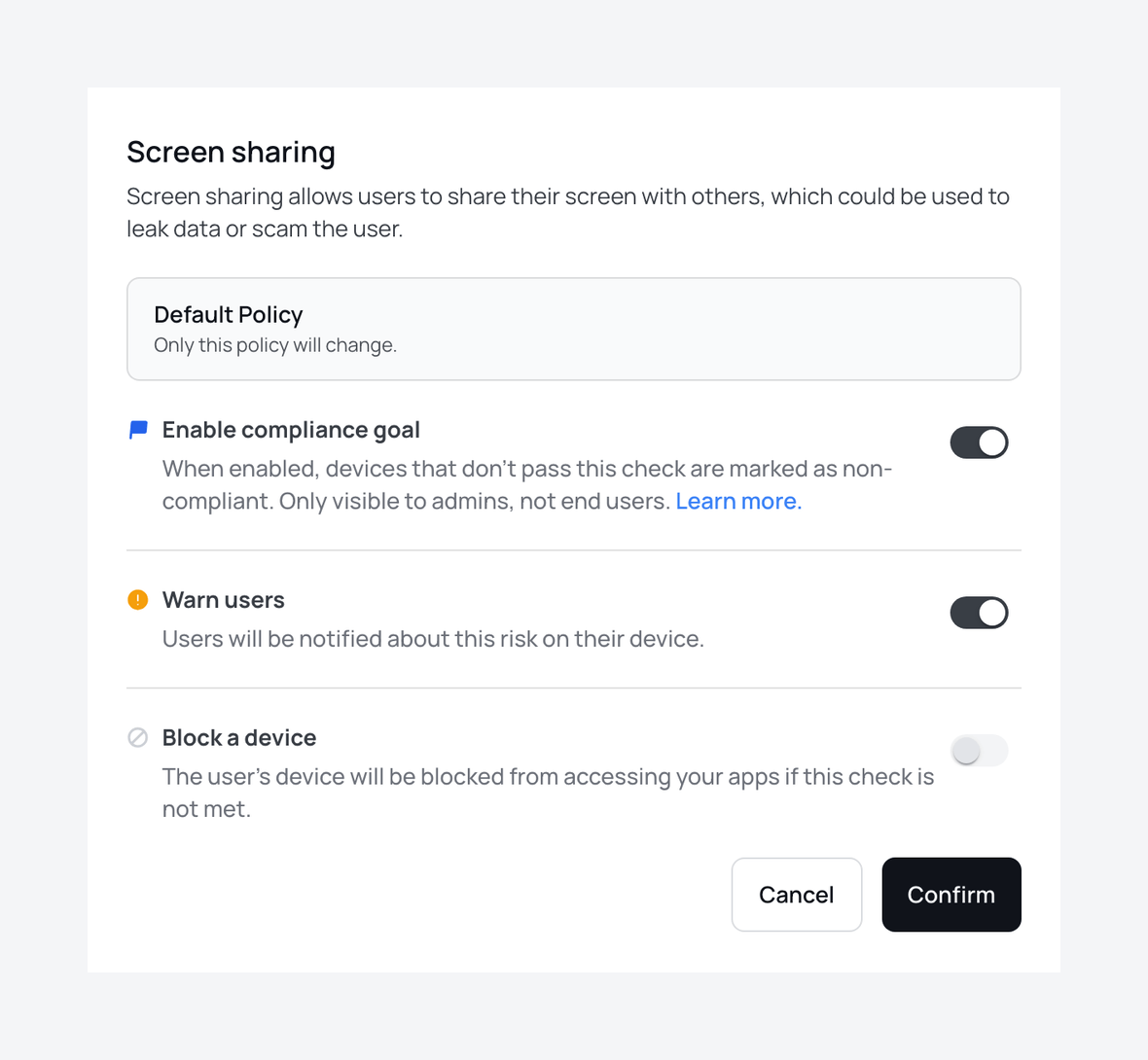
Because the check runs continuously, a feature that gets switched back on shows up as a failing check rather than as a surprise in someone else's incident report, and the person using the device sees the same thing you do, along with how to fix it.
Review your policy on the Policies page in your XFA Dashboard, or read what each check does in the policy documentation.